Troubleshooting: How to Factory Reset Your TytoCare Device
A factory reset can resolve persistent software issues, connectivity problems, or prepare a device for a new user. Following these steps will return the TytoCare device to its original out-of-the-box state.
Step-by-Step Instructions
- Power On: Turn on your TytoCare Device by pressing the power button.
- Access Menu: Once the device has loaded, swipe down from the top of the screen to open the system menu.
- Settings: Select the Settings gear icon.
- Advanced Settings: Scroll through the settings list and select Advanced Settings.
- Initiate Reset: Select Reset Device.
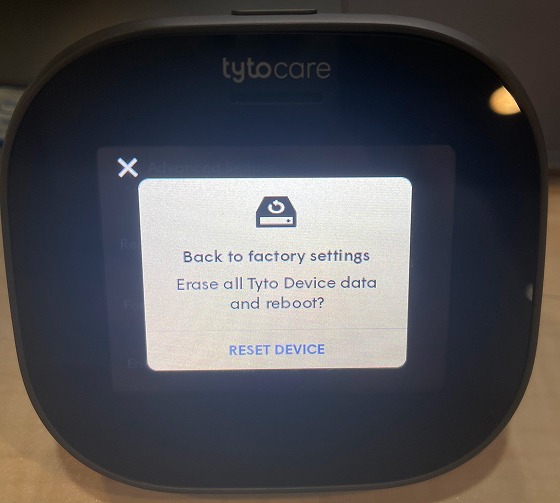
- Confirm: A confirmation prompt will appear asking if you are sure. Select Reset Device again to proceed.
What Happens Next?
The device will immediately reboot. The screen may go dark for several moments while the system wipes the data and restores factory defaults. Once finished, you will be greeted by the initial setup/pairing screen.
Important Note: Restoring the device to factory defaults will not affect enterprise Wi-Fi configurations or certificates previously installed by an administrator via the TytoCare Cloud.