If your TytoHome or TytoPro kit included a Nonin 3230 Bluetooth Smart Pulse Oximeter, follow these instructions to pair it with your TytoCare App.
Initial Setup
- Enable Bluetooth: Turn on Bluetooth on your smartphone or tablet where the TytoCare App is installed.
- Login: Open the TytoCare App and sign in to your account.
- Navigate to Pairing: Tap the Menu (three lines) in the upper-left and select Pair External Devices. Choose Pulse Ox.
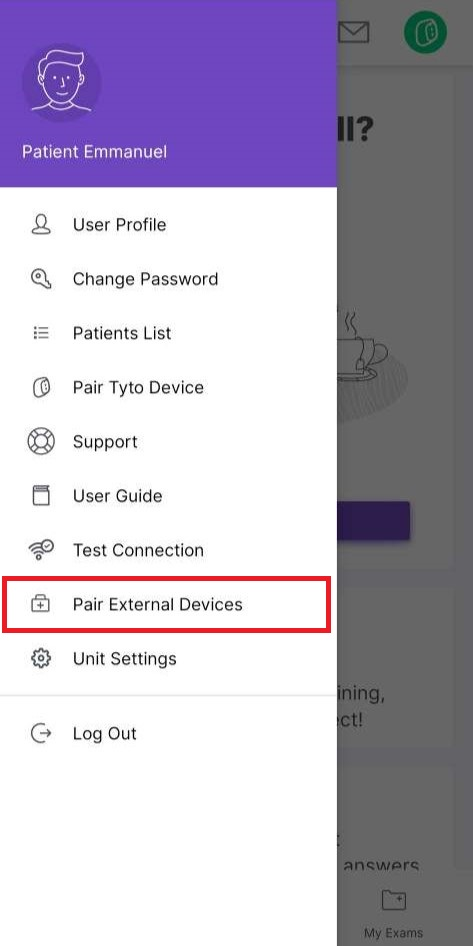
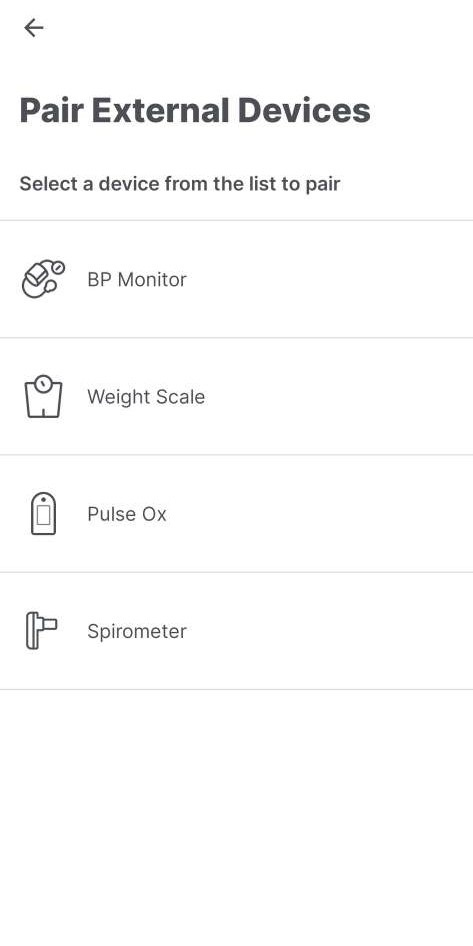
*Note: If Bluetooth is disabled, you will receive a pop-up prompt to enable it.
Pairing the Pulse Oximeter
- Power Check: Insert the batteries into the Nonin 3230 unit.
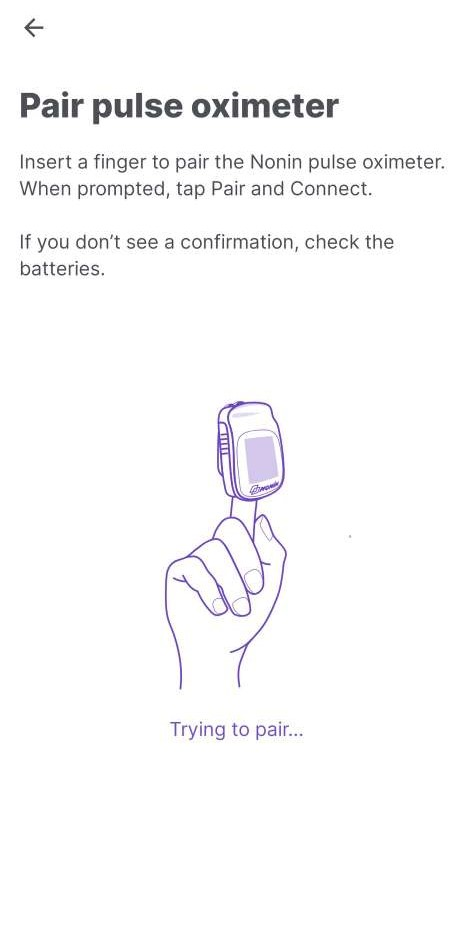
- Initiate Pairing: Insert a finger into the pulse oximeter to turn it on. When prompted by the TytoCare App, tap Pair or Connect.
- Confirm Success: The App will display a "Pairing Successful" message.
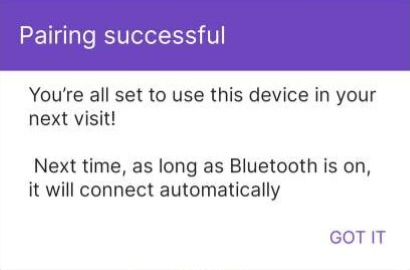
Congratulations! Your Nonin 3230 is now paired. The TytoCare App will automatically connect to the device whenever it is in range and in use.